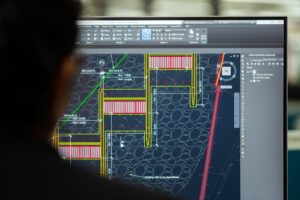

Hot-desking and virtual environments facilitate remote collaboration on designs with multiple stakeholders, giving the landscape designer flexibility across their devices without creating license conflicts.
Licensing and sessions are managed virtually on Artisan servers, freeing your design access so that you can switch desks, computers, time zones – anywhere!
Software updates are managed within the CS Buddy App, wherever you are working, and any data, designs and models are ready for you across your workspaces. Enterprise users operating in virtual desktop environments, require specific configuration via registry key settings, which are centrally managed and enforced by IT administrators.
Artisan and ArtisanRV in Virtual Environments
Artisan products can be deployed in different types of virtualised environments. There are two common deployment models:
Session-based environments
Multiple users connect to a shared virtual machine (VM) or server, with each user operating within their own isolated session. This model is commonly delivered using solutions such as Citrix or Microsoft Azure Virtual Desktop (AVD) using multi-session configurations.
VDI (Virtual Desktop Infrastructure) environments
Each user is assigned their own dedicated VM (a one-to-one relationship between user and machine). This is typically referred to as a personal or dedicated desktop.
Which model applies to me?
If you are unsure which model applies to your environment, a simple way to distinguish them is:
- If multiple users share the same VM or server, follow the Session-Based VM Setup guide in the CloudScapes Help Files
- If each user has their own dedicated VM, follow the VDI Setup guide in the CloudScapes Help Files
Selecting the correct setup guide will ensure that licensing, updates, and system behaviour are configured appropriately for your environment.
If you’re not already using Artisan or ArtisanRV for your landscape and planting designs in CAD or REVIT environments – download your FREE TRIAL now!